
DVDFab 365 Lifetime Activation
A method to activate DVDFab products using a proxy approach that does not impact the integrity of application or system files.
Important
Support for all future software that may be added to DVDFab products is not automatic and requires knowledge of the product ID.
Features
- 🔓 Unlocks all VIP functionalities of DVDFab products
- ⚙️ Provides a seamless and non-intrusive activation method
- 🛡️ Ensures continued access without modifying application or system files
- 🚀 Removes the daily download limit
- 📊 Removes analytics data and automatic reports
Prerequisites
- HTTP Toolkit: Download and install from httptoolkit.com
- DVDFab Product: Ensure you have the DVDFab product (e.g., StreamFab) installed on your system.
- Python: Ensure you have Python installed on your system.
- Required Python Packages: Install the required packages using pip:
pip install -r requirements.txt
Installation & Usage
Step 1: Initial Setup
- Launch the DVDFab product for the first time and log in with a free account. Close the software afterward.
Step 2: Generate HTTP Toolkit Configuration
- Ensure you have Python installed on your system.
- Save the provided
rules.pyscript to your local machine. - Run the script using the following command:
python3 rules.py - This will generate an
HTTPToolkit_DVDFab.htkrulesfile in the same directory.
Step 3: Configure HTTP Toolkit
- Open HTTP Toolkit.
- Import the
HTTPToolkit_DVDFab.htkrulesfile into theMocktab in HTTP Toolkit.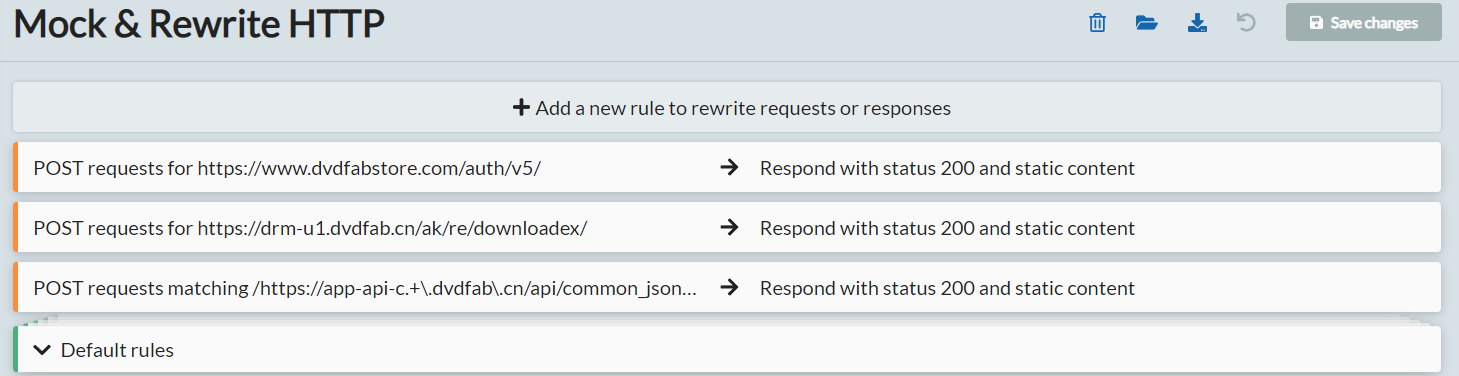
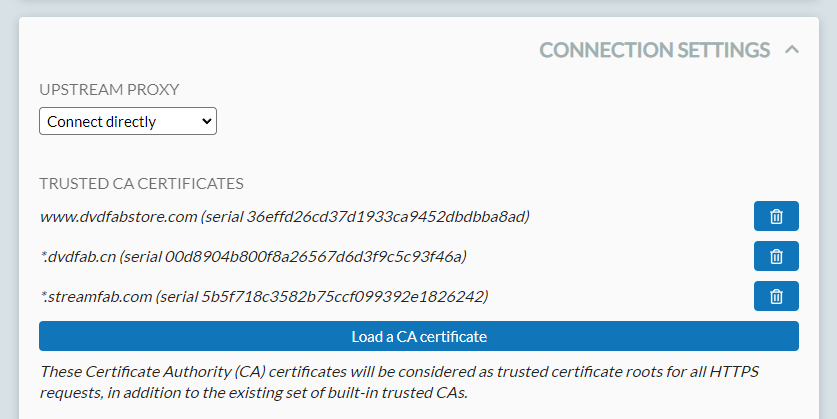
- Import the DVDFab CA certificates into the trusted certificates in HTTP Toolkit settings (requires Pro version).


Step 4: Launch DVDFab Product
- Launch a hooked terminal via
Fresh TerminalorExisting Terminalin HTTP Toolkit. - Navigate to the folder containing the DVDFab product binary.
- Launch the DVDFab product via the intercepted shell.
Step 5: Handling MAC Detection Errors (Optional)
In case you encounter errors related to MAC detection:
- Save the provided
server.pyscript to your local machine. - Run the
server.pyscript using:python3 server.py - This script will handle MAC detection issues by emulating a suitable response.
Step 6: Enabling Additional Rules in HTTP Toolkit (If Needed)
- Access HTTP Toolkit Configuration:
- Go to the
Mocktab where you imported theHTTPToolkit_DVDFab.htkrulesfile.
- Go to the
- Enable Additional Rules:
- In the rules configuration, locate the index
2section. This rule is disabled by default. - Enable this rule to apply additional patches required for your specific configuration.
- In the rules configuration, locate the index
Step 7: Disabling XML Check (Optional)
If you encounter issues related to XML checks, you can disable this check by enabling a specific rule in HTTP Toolkit:
- Access HTTP Toolkit Configuration:
- Go to the Mock tab where you imported the HTTPToolkit_DVDFab.htkrules file.
- Enable XML Check Disabling Rule:
- In the rules configuration, locate the index
3section. This rule is disabled by default. - Enable this rule to disable the XML check.
- In the rules configuration, locate the index
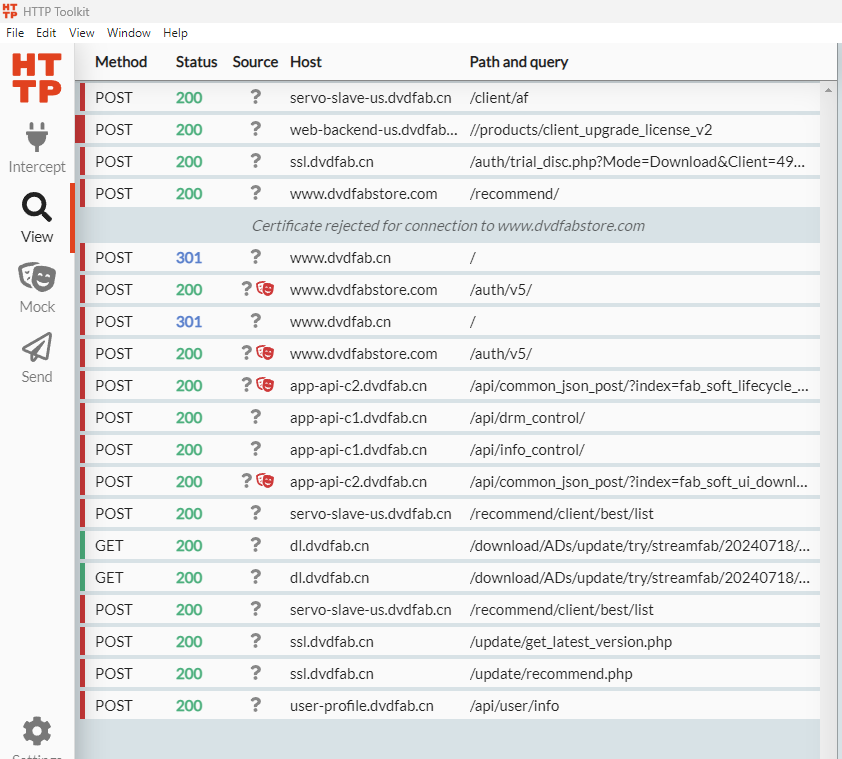
Step 8: Enjoy Activated Features
- The requests are now patched, and you can enjoy all functionalities.

Licensing
This software is licensed under the terms of the MIT License.
You can find a copy of the license in the LICENSE file in the root folder.